
Product · AI & Automation · Beta
Kacha
AI-powered no-code automation. Describe what you want; an AI consultant interviews you for specifics; the system builds and deploys the workflow inside your environment.
The problem
No-code platforms make easy things easy and hard things impossible.
Drag-and-drop builders work for the canonical example. They break for the workflow that has a real branch in it, a non-trivial data shape, or a regulatory requirement that the vendor SaaS doesn't meet. The drag-and-drop builder also charges per execution — at scale, the bill stops making sense.
Kacha replaces the canvas with a conversation. An AI consultant elicits the actual specification — including the branches, the data shapes, the failure modes — and compiles it into an executable flow that runs in the customer's environment. The pricing model is per-deployment, not per-execution.
How it works
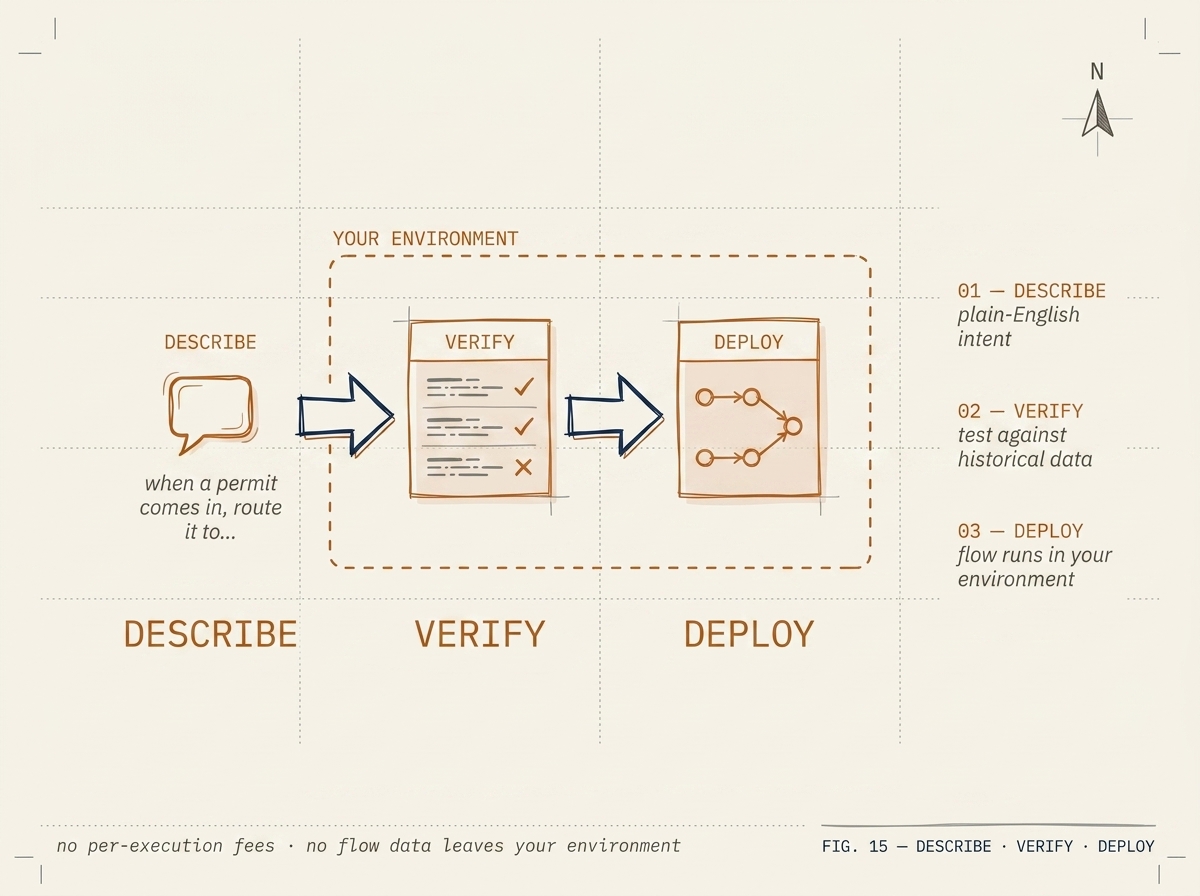
From plain English to a deployed flow in five steps.
-
Step 01 · Describe
You tell the consultant what you want to automate, in plain English.
"When a permit application comes in marked priority, route it to the duty planner and copy the ward councillor."
-
Step 02 · Probe
The consultant probes for ambiguity until the spec is unambiguous.
"What counts as priority? Always-priority types, or a per-application flag?" "What does the duty planner schedule look like outside business hours?" One question at a time, building toward a confirmable spec.
-
Step 03 · Confirm
You approve a plain-English summary of what will be built.
No JSON, no DSL, no canvas. A paragraph that describes the workflow's behavior, including its edge cases.
-
Step 04 · Compile
The system compiles the spec into Flow Specification Language (FSL).
FSL is the executable form. It is type-checked, contract-validated against the connector catalogue, and runnable in a DryRun against synthetic data before deployment.
-
Step 05 · Deploy
The flow runs inside your tenant against real events.
No data leaves the perimeter. Per-execution observability. Pause, edit, redeploy without a vendor support ticket.
Sovereign by default
Kacha runs in your tenant — not a vendor SaaS.
The platform deploys as a small set of containers. You can run it on Odysseus or any container host you already operate. Connectors live next to the runtime; credentials never leave the perimeter.
The AI consultation uses your choice of model — a Canadian-region frontier model or an open model on your own GPU. Kacha routes the consultation to the configured provider; we do not see prompts.
Patterns that use this product
Worked examples from real engagements.
Government · Pattern
How we shipped AI workflow automation inside a Canadian municipality's tenant
Natural-language workflow building (Kacha) deployed inside the customer's tenant — no data leaves the perimeter, no license per workflow, no foreign cloud. From scoping to first workflow in production in under ten weeks.
8–12 weeks from scope to production
Cross-sector · Pattern
Replacing legacy field-service applications without disrupting operations
How we migrate operationally critical field-service applications onto the operator's existing enterprise platform — preserving the workflow, replacing the lock-in. Worked example: a continental field-service replacement that ran every shift through the cutover without missing a dispatch.
10–14 weeks end-to-end
Get started
Tell the consultant what you want to automate.
We'll deploy a tenant for you to try. Real flows, your data, your perimeter. Ten-day pilot.
Request a pilot